 WooFinance
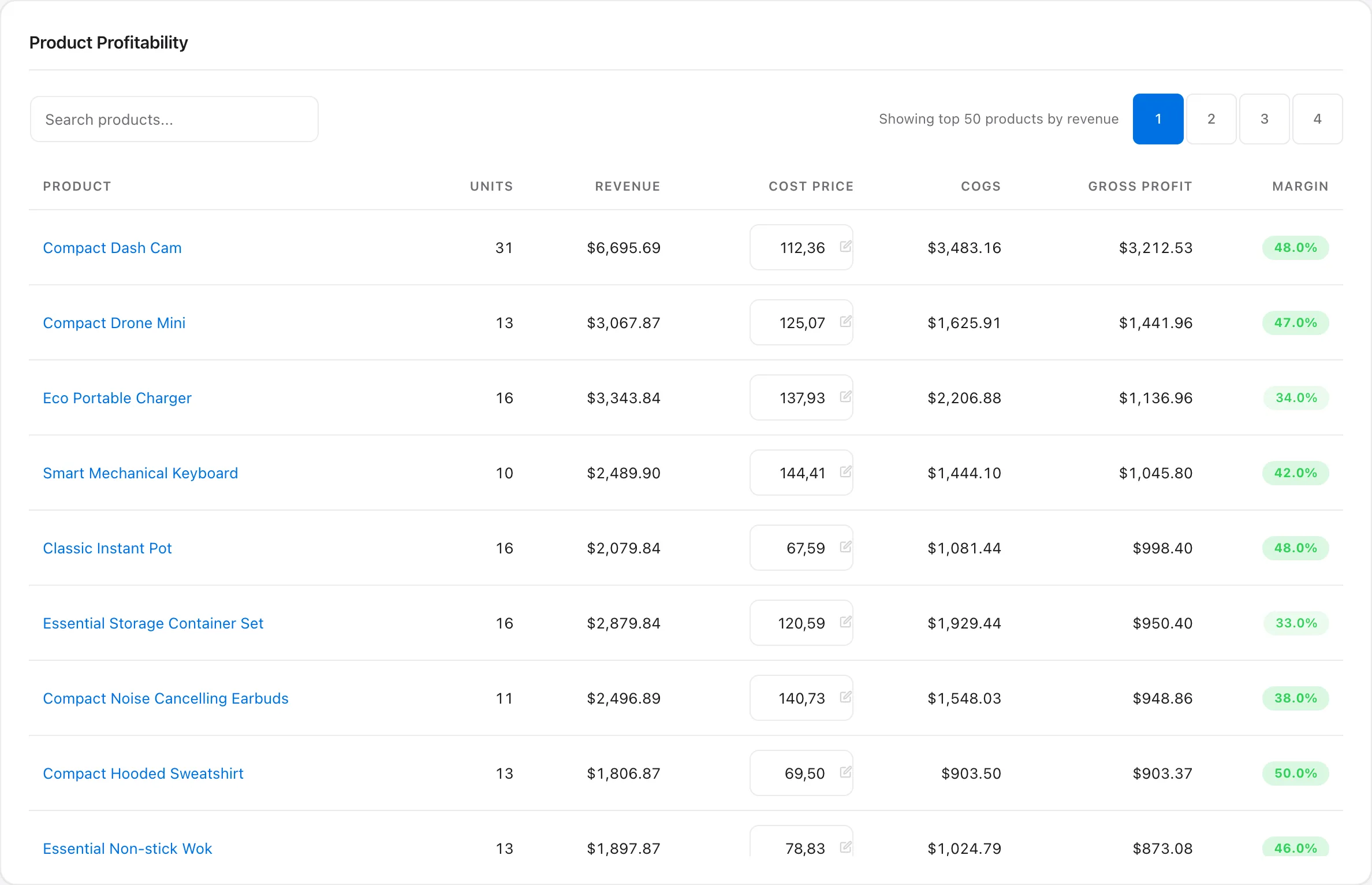
Which products actually make money
Units, revenue, cost price, COGS, gross profit and margin for every product, searchable and sortable. Edit a cost price inline, drill into the orders behind a number, and see profit by category.
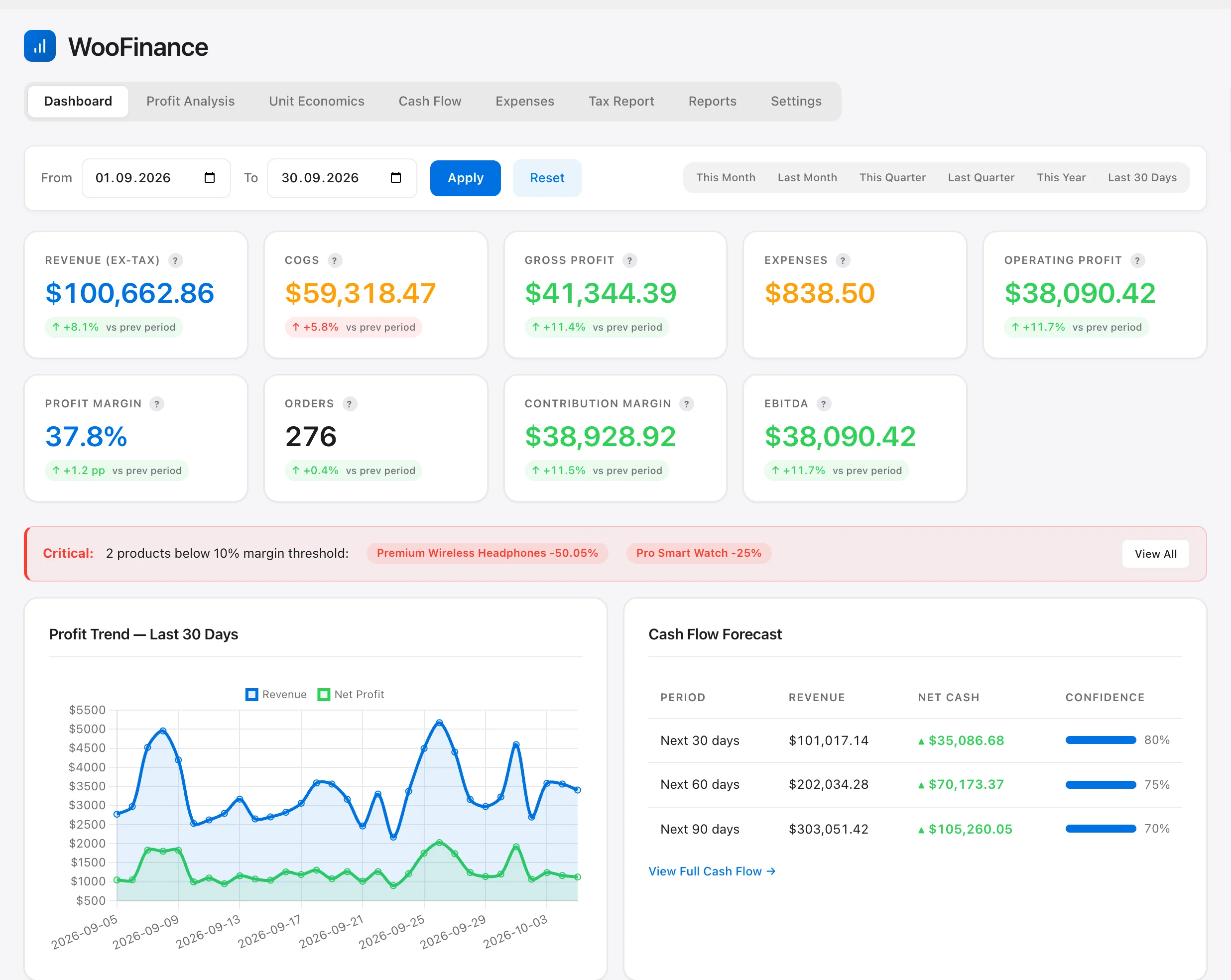
WooFinance subtracts product costs, gateway fees, shipping, refunds and expenses from every order, then forecasts your cash 30, 60 and 90 days ahead. It runs inside your own WordPress, and you pay once.
The problem
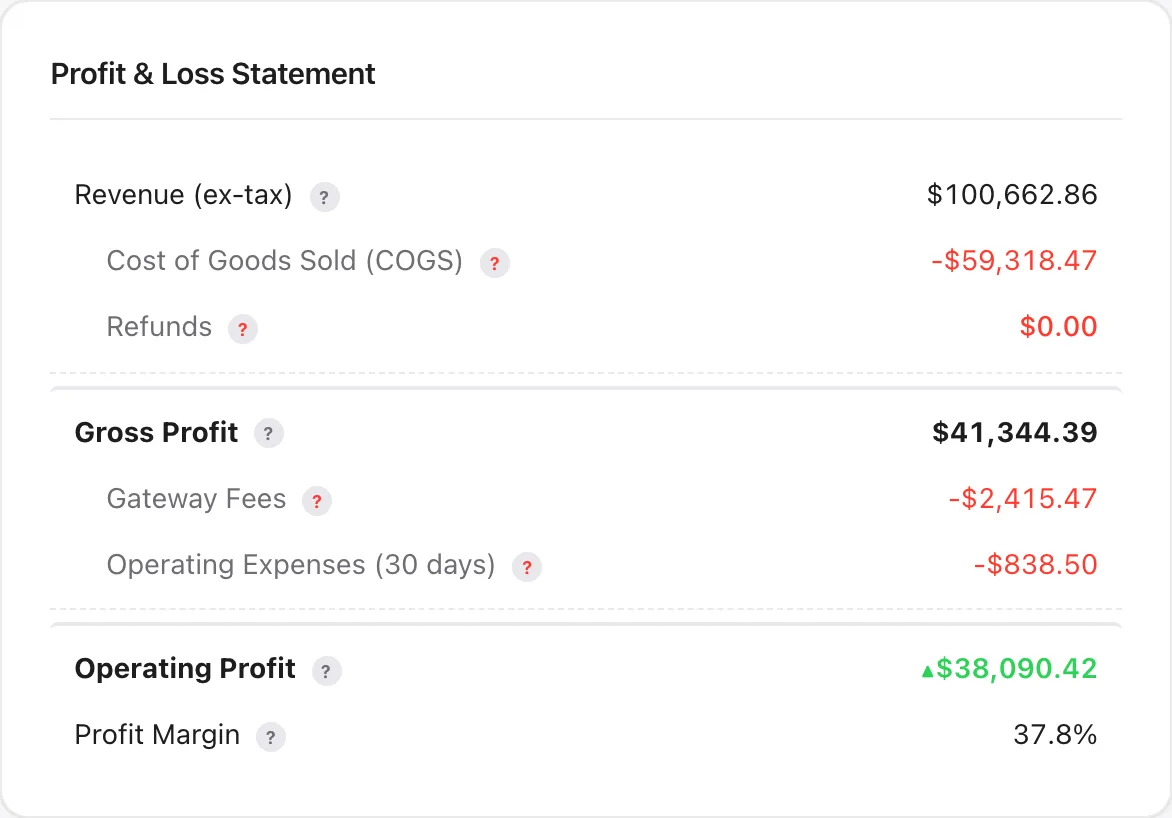
An order total is not a profit. WooFinance works it out the way your accountant would, for every order and every product, from the data WooCommerce already has.
Completed and processing orders, with tax collected kept apart for the tax report.
Cost price per product and per variation, dated so a price change does not rewrite the past. Bulk import by SKU or ID from a pre-filled CSV.
The real fee recorded by Stripe, WooPayments or PayPal when it is on the order; otherwise your percentage plus fixed fee. Bank transfer, cheque and cash on delivery count as zero.
What delivery cost you and what you gave back, in the period it happened.
Ads, hosting, wages, rent: recurring or one-off, spread across the dates you report on.
Per order, per product, per category and per period, with the change against the period before.
What's inside
Eight screens under WooCommerce → WooFinance. Every image below is the plugin running on the live demo, not a mock-up.
Units, revenue, cost price, COGS, gross profit and margin for every product, searchable and sortable. Edit a cost price inline, drill into the orders behind a number, and see profit by category.
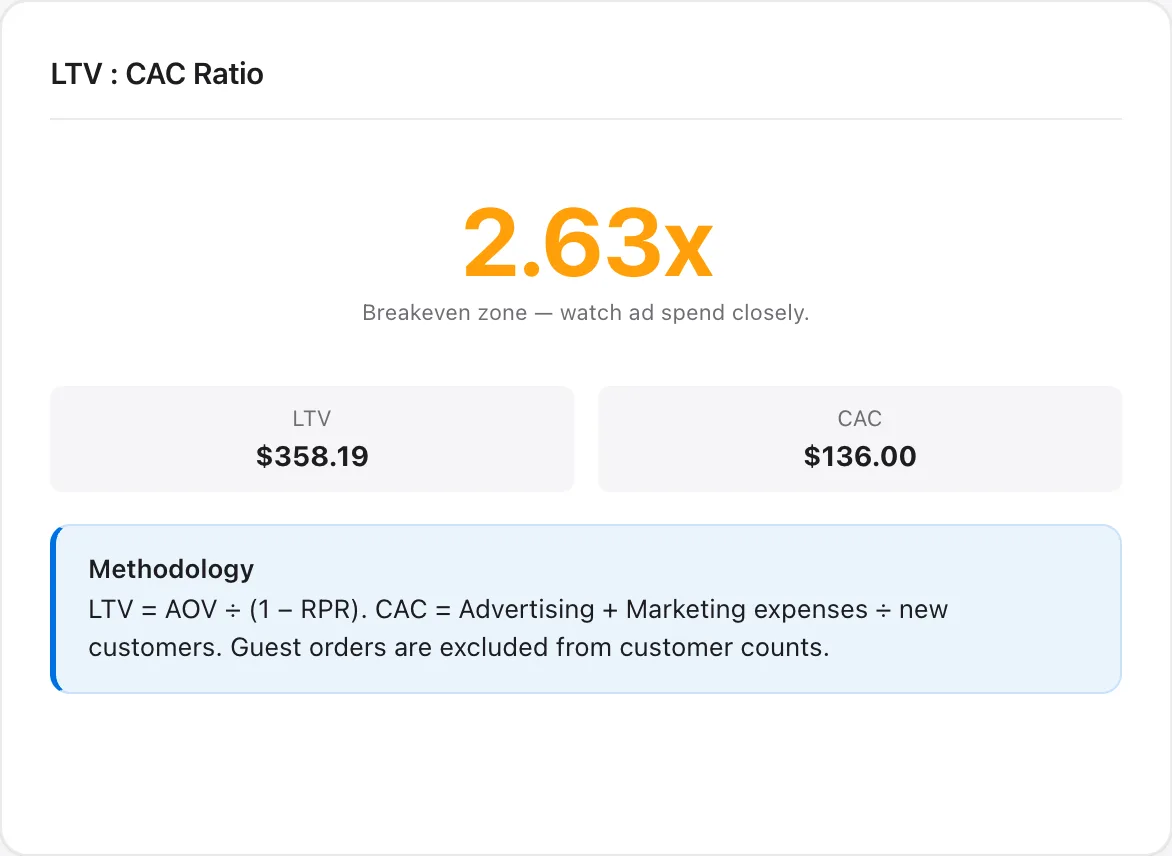
Average and median order value, customer lifetime value, acquisition cost from your ad and marketing expenses, payback time, RFM segments and monthly cohort retention.
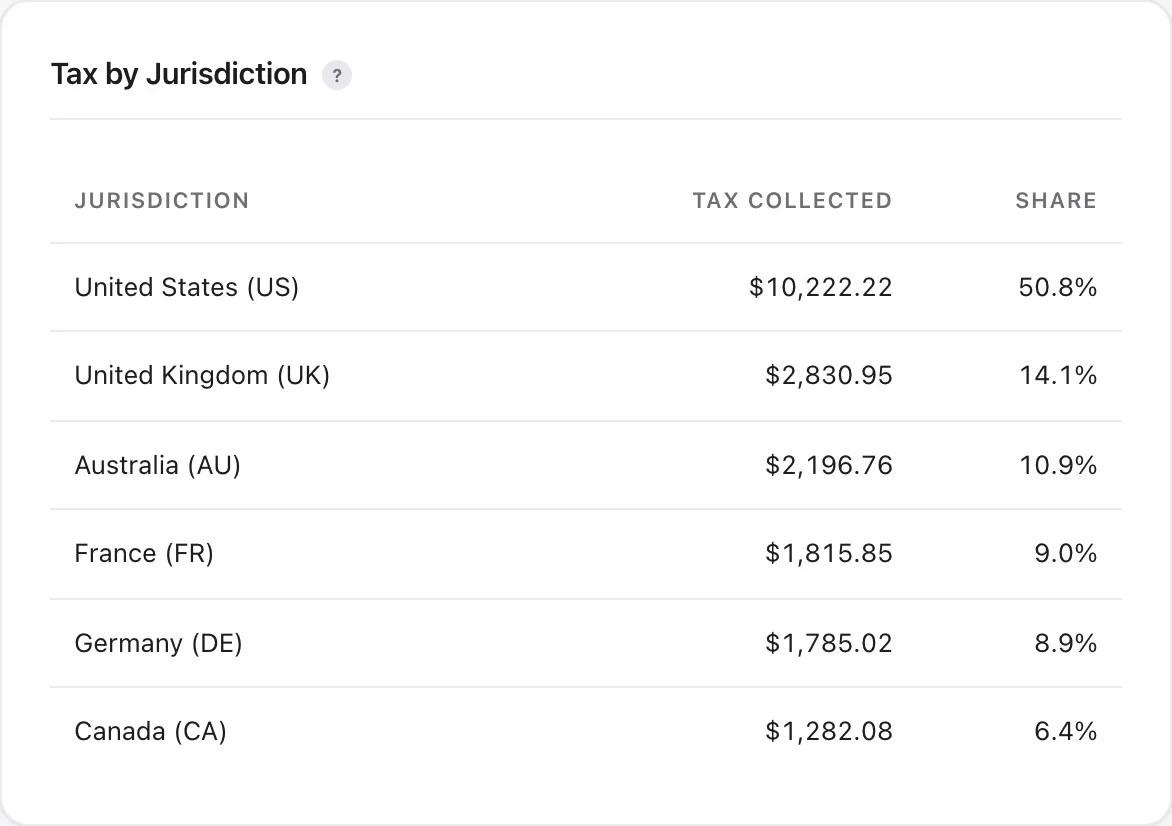
Tax by rate and by country, a six-month trend, the effective rate, zero-rated sales and likely reverse-charge orders, exported as a CSV for your accountant.
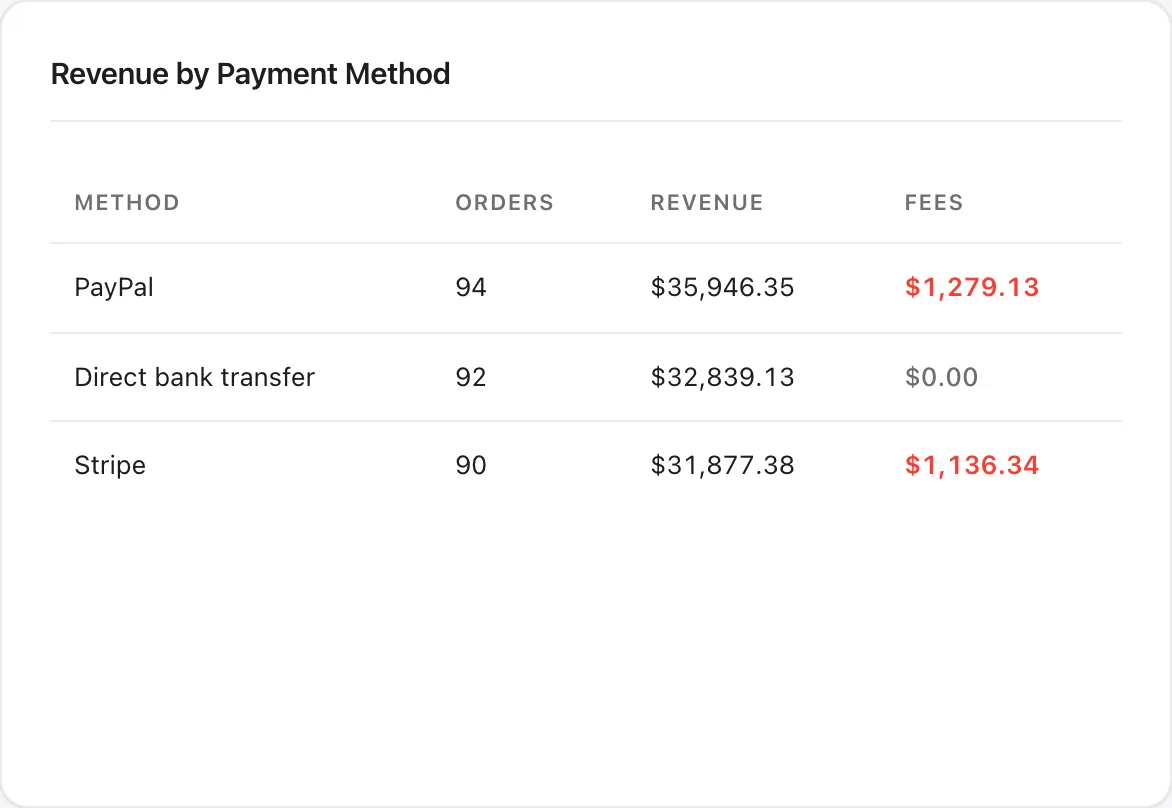
Reads the fee Stripe, WooPayments and PayPal store on the order. Anything else uses the percentage and fixed fee you set; bank transfer counts as free.
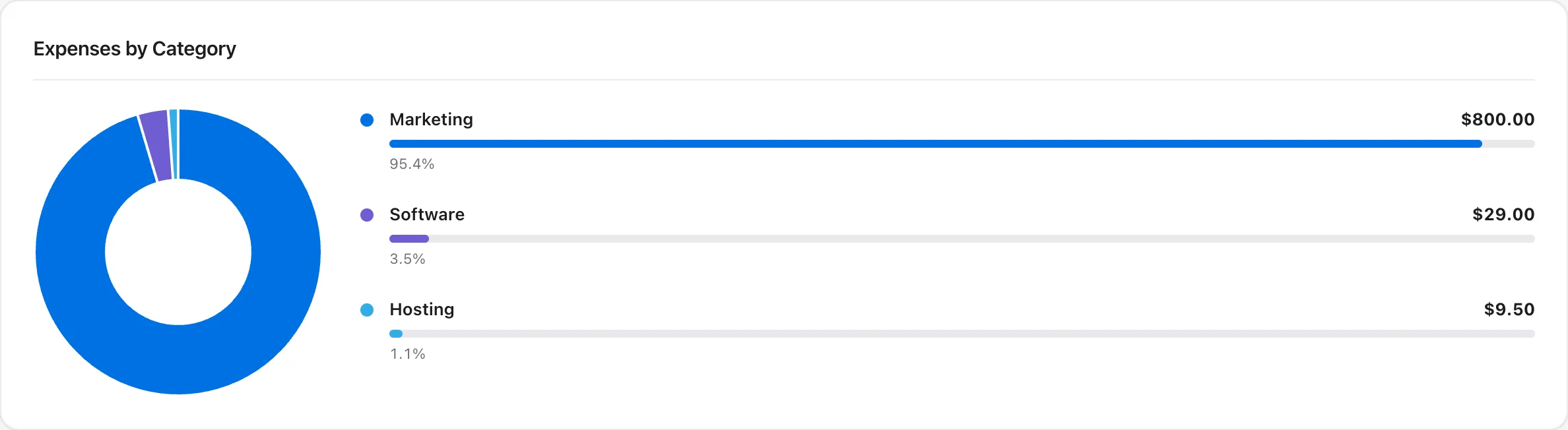
Ads, software, hosting, wages, rent. Recurring daily, weekly, monthly or yearly, or one-off. Grouped by category and deducted from operating profit and from the cash-flow forecast.
woofinance_viewer role sees every report and cannot change settings..pot, and a clean uninstall that removes its own tables.Cash-flow forecast
WooFinance projects revenue, cost of goods and expenses for the next 30, 60 and 90 days from your own order history, and is honest about how sure it is.
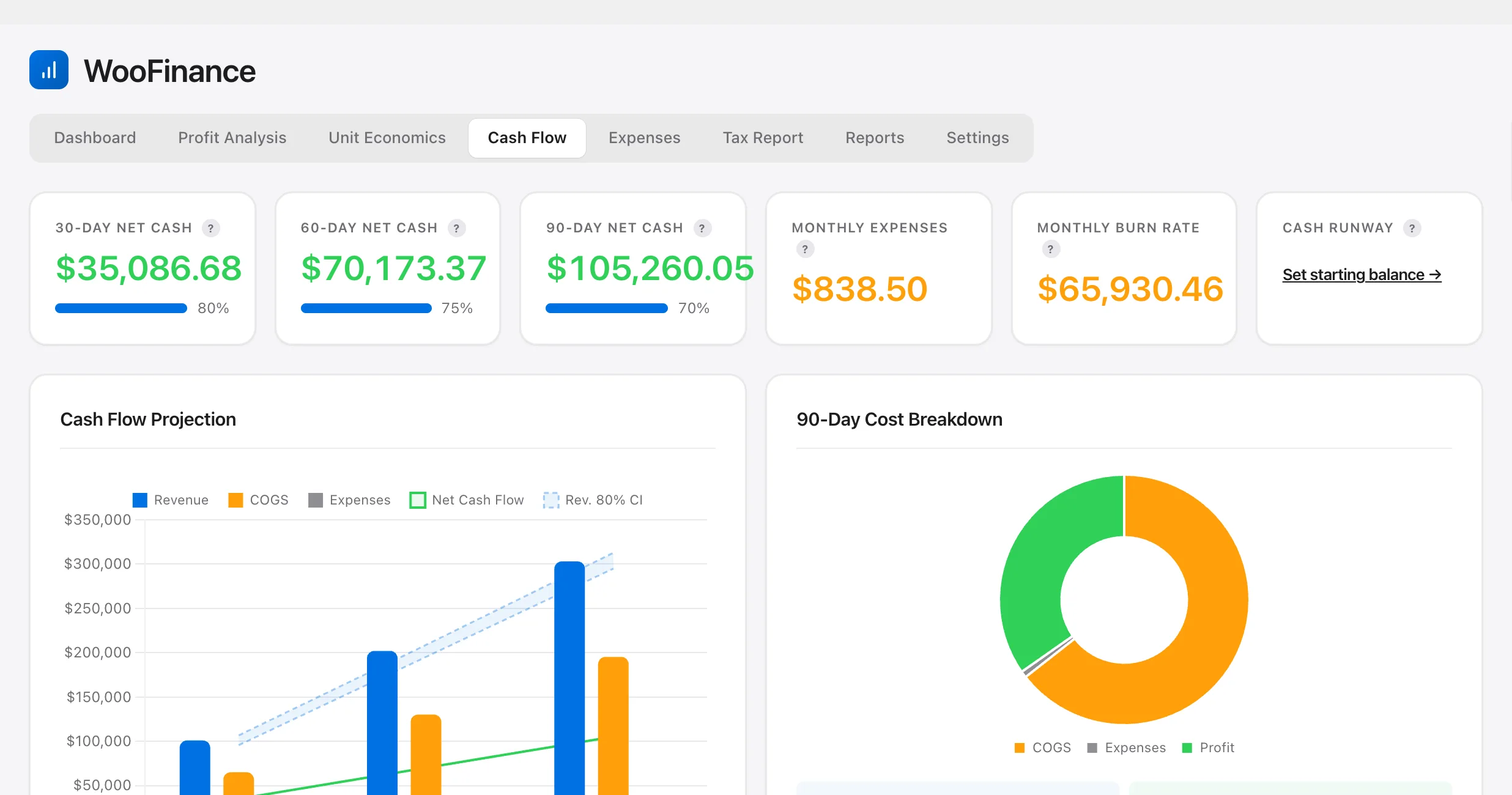

Cash Flow tab and What-If sliders, demo store.
Exports
Eight pre-formatted CSV layouts with the columns, date format and refund credit notes each package expects. No column mapping.
/wp-json/woofinance/v1/ for Excel and Power BI, using WordPress Application Passwords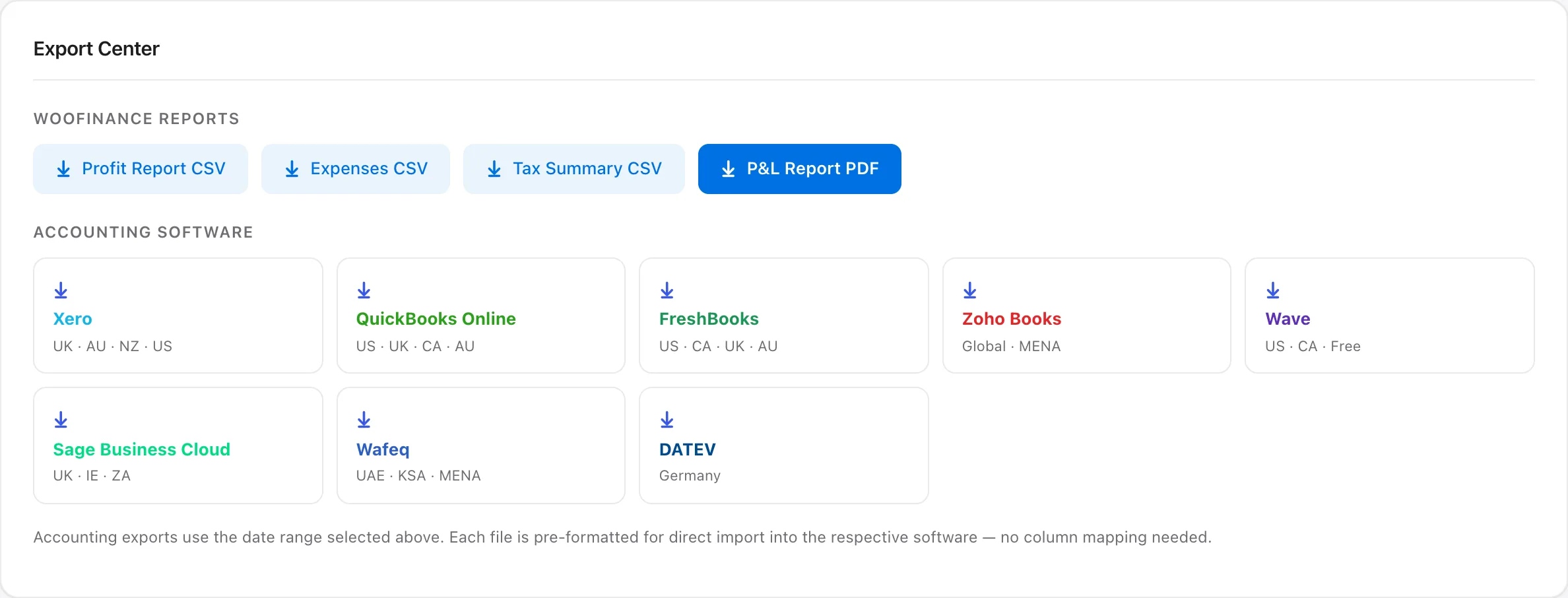
Your data, your server
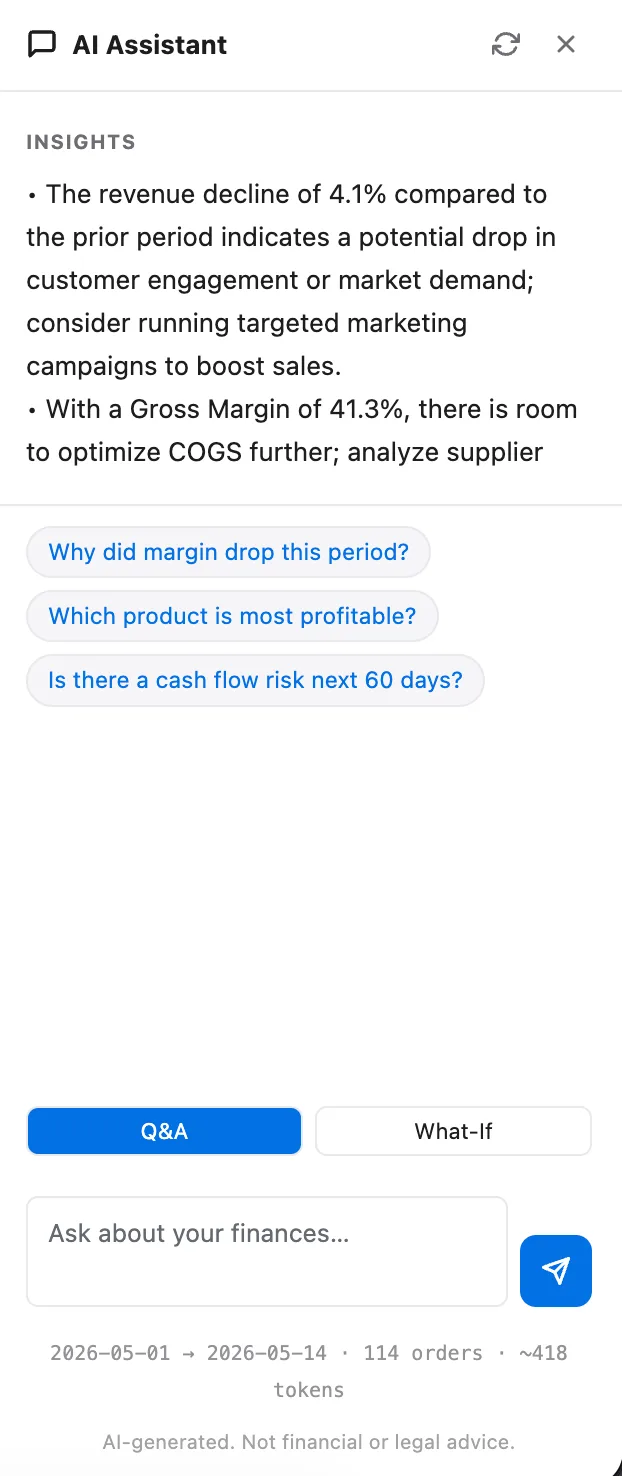
Three written insights about the period you are viewing, and answers to questions like “Why did margin drop this period?” on every WooFinance screen.
OpenAI bills your account for each request. Answers are capped at 400 tokens. Everything else in WooFinance works without a key.
Setup
The dashboard fills from the orders you already have. Setup instructions are in the bundled readme, and every metric has a ? tooltip that explains it.
Upload the zip under Plugins → Add New. WooFinance appears under WooCommerce and reads your existing order history.
Add cost prices per product or variation, or import them in bulk. Set your gateway fee and add recurring expenses.
Profit, forecast, tax and exports for any date range: this month, last quarter, this year or your own dates.
Also from us
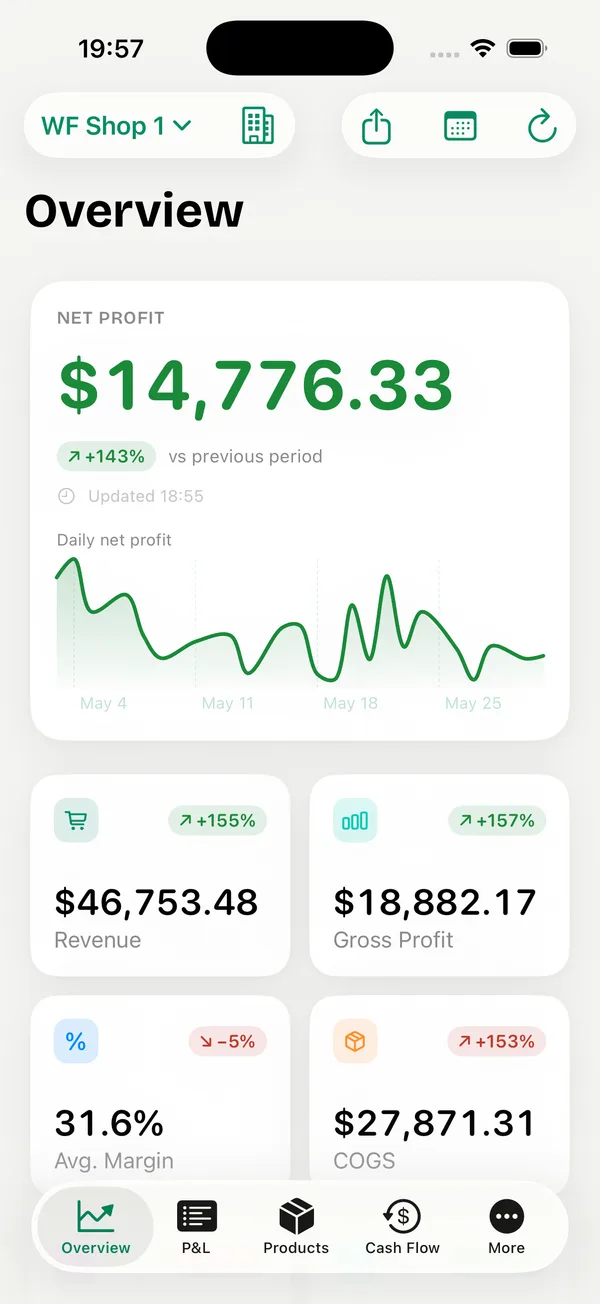
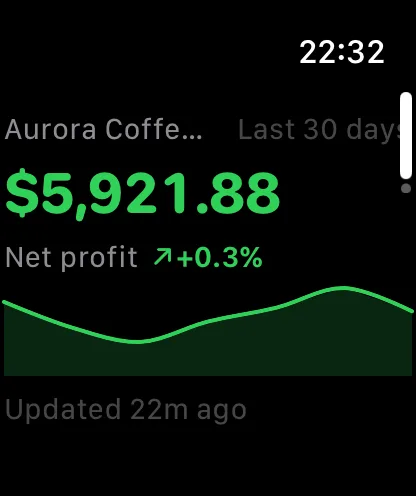
The WooFinance app shows net profit, P&L, products and cash flow for your store, with widgets and multi-store support for agencies.
A separate product, not part of the plugin licence. It connects with read-only WooCommerce REST API keys, works with or without the plugin, and has an optional Pro subscription with a 7-day free trial; prices are on the App Store.
Compared
Most stores track profit in one of three other ways. These are general categories, not specific products; check any tool's own page before you decide.
| Question | WooFinance | Spreadsheets | Other profit plugins | SaaS analytics dashboards |
|---|---|---|---|---|
| Where your order data lives | Your WordPress database | Wherever you save the file | Your WordPress database | The vendor's servers |
| How you pay | $59 once, 1 year of updates | Your time, every month | Varies: one-time or yearly | A monthly subscription |
| Profit after COGS, fees, shipping, refunds | Automatic, per order and product | Formulas you build and maintain | Varies; some cover cost of goods only | Usually included |
| 30/60/90-day cash-flow forecast | Included, with confidence ranges | If you model it yourself | Varies | Varies by plan |
| Accounting software exports | 8 formats, credit notes included | Reformat by hand | Varies | Varies |
| Works if you stop paying | Yes; updates stop after year one | Yes | Depends on the licence | No, access ends |
Requirements & costs
Nothing else is required. Two optional extras have their own price:
No subscription. Keeps working after the first year; renew only if you want new updates.
Billed by OpenAI to your own API key, per request. Off unless you turn it on.
Separate download with its own optional subscription and a 7-day free trial.
Pricing
Every feature is in every licence. Sold by Webkoding; payments handled by Paddle, our merchant of record.
FAQ
No. WooCommerce reports stay where they are. WooFinance adds what they do not show: profit after product costs, gateway fees, shipping, refunds and operating expenses.
Yes. The live demo runs the current release on a store with orders, product costs and expenses already in place. Log in with demo / demo. Settings are read-only there.
In your own WordPress database, in WooFinance's own tables. No order data is sent to any outside service. The optional AI assistant is the only feature that contacts a third party, and only after you enable it and enter your own OpenAI API key.
The feature is included, but it uses your own OpenAI API key, so OpenAI bills your account for each request (model gpt-4o-mini, answers capped at 400 tokens). It is off by default, and every other feature works without it.
WooFinance first reads the fee the gateway stored on the order: _stripe_fee for Stripe, _wcpay_transaction_fee for WooPayments and PayPal Transaction Fee for PayPal. If none is there it uses the percentage and fixed fee from Settings (2.9% + $0.30 by default). Bank transfer, cheque and cash on delivery are treated as fee-free.
It is a weighted average of your last 90 days, so it is as good as your history. Each period shows a confidence score that drops when you have few orders, and revenue comes with an 80% range. Treat it as a direction, not a promise.
Yes. Set a cost price per variation. A variation without one falls back to its parent product's cost price.
No. Calculations are cached and refreshed daily by WP-Cron, and nothing loads on the shop front end.
No. It is a separate App Store product with its own optional subscription and a 7-day free trial. It connects to your store with read-only WooCommerce REST API keys and does not need the plugin.
WooFinance keeps working exactly as it is. The year covers new versions and email support; you only need to renew if you want those.
30 days from purchase, for any reason. Email support@webkoding.com with your order number, or contact Paddle, our merchant of record, directly.
Log in with demo / demo, click through all eight screens, and buy when it answers your questions.